AuthorScale Can Now Post Directly to Instagram (Trial Reels Included)
Meta has approved AuthorScale to post directly to Instagram. Post, schedule, and queue your book-marketing reels, including trial reels, straight from AuthorScale.
We've got some big news: Meta has approved AuthorScale to post directly to Instagram.
In practice, that means you can now post, schedule, or queue your videos, like your Kindle screenshot videos, directly from AuthorScale to Instagram. That includes trial reels, so your reels get shown to people who don't follow you yet (note that Instagram only offers trial reels to accounts with 200+ followers).
Together with our recent YouTube approval, AuthorScale now posts to TikTok, Instagram, and YouTube from one place: create your content once, distribute it everywhere.
Here's a quick demo:
Posting and queueing reels to Instagram from AuthorScale
What this means for your book marketing
Instagram reels, and especially trial reels, are currently the best-performing organic marketing channel for many authors.
Two recent examples from our own community:
Wendy Smith: her best month in 13 years
Indie author Wendy Smith had her best month in 13 years of self-publishing thanks to Instagram trial reels, posting 3 reels a day made from simple page-flip videos and Kindle screenshots. She shared her whole playbook in our live interview:
Wendy Smith on her best month in 13 years, using Instagram trial reels
Genesis Davies: her best launch in 15 years
Indie author Genesis Davies just had her best book launch in 15 years of self-publishing. A Kindle screenshot reel took off, and her consistent daily posting has held her royalties at around $400 a day for over two weeks, and climbing, without spending a cent on ads.
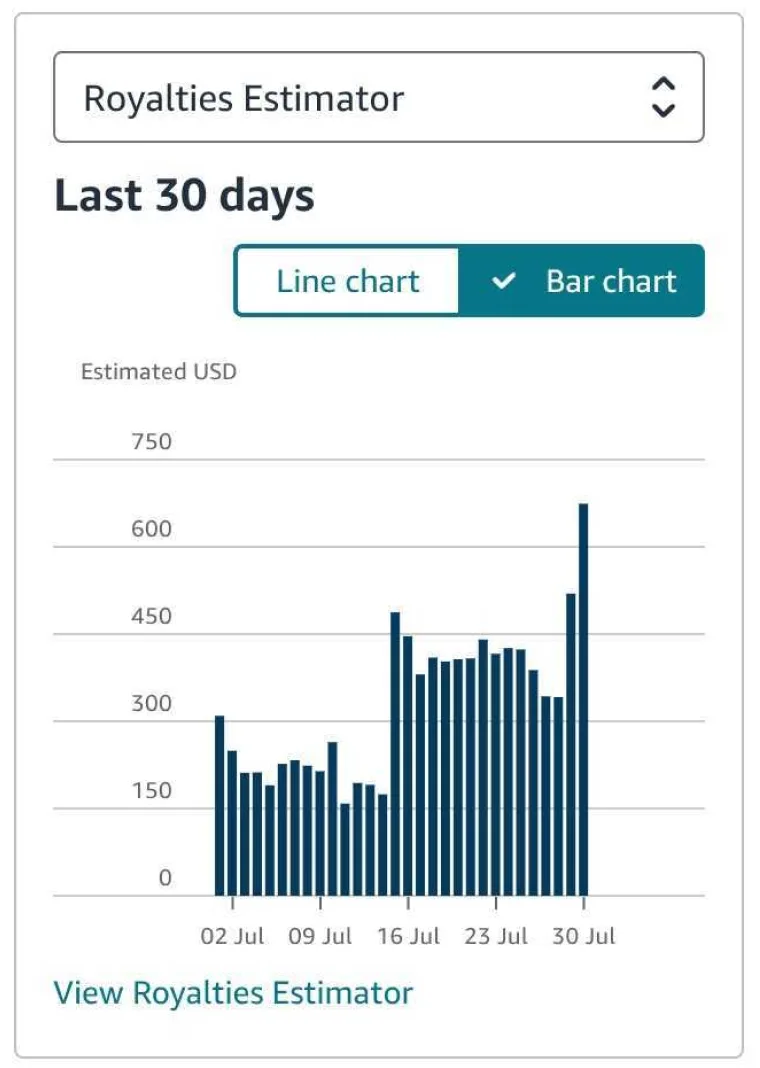
Here's her full breakdown:
Genesis Davies on her best book launch in 15 years, using Kindle screenshot reels
Neither of them spends much time on this: Wendy makes her 3 daily reels in 10 to 15 minutes on the couch in the evening, and Genesis' daily screenshot videos take her about 10 minutes. The hard part is posting consistently, every day, across platforms. That's the part this integration removes.
What you can do now
Connect your Instagram account to AuthorScale and you can:
- Post directly: publish a finished reel to Instagram without leaving AuthorScale
- Post as trial reel: a simple toggle marks your reel as a trial reel, so it's shown to people who don't follow you yet (Instagram requires at least 200 followers to use trial reels)
- Schedule: pick a date and time for each reel
- Queue: set your posting times once (say, 3 per day), add your videos to the queue, and each one goes out at the next open slot. Batch your content one day a week, then stop worrying about posting
How to get started
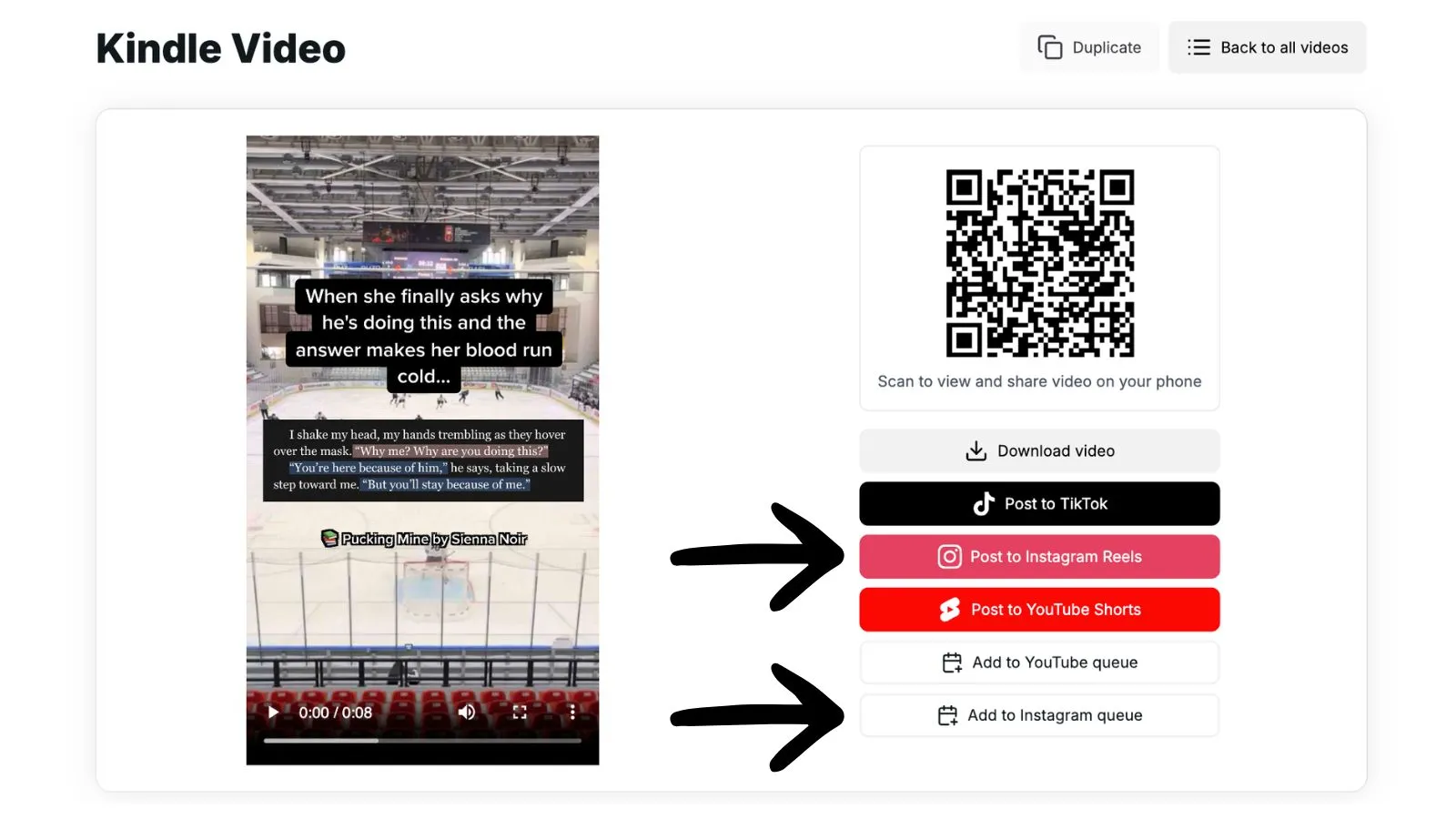
After rendering a video in AuthorScale, you'll see the posting options right on the result page: post to TikTok, Instagram Reels, or YouTube Shorts, or add it to your Instagram or YouTube queue. You'll find your queues in the "Posts" tab, top right. AuthorScale can also suggest a caption and hashtags for each post.
Ready to Create Viral BookTok Content?
Join thousands of authors using AuthorScale to grow their audience.
Get Started for Free